AquaMaster Substrate EC and Temperature E300 Pro
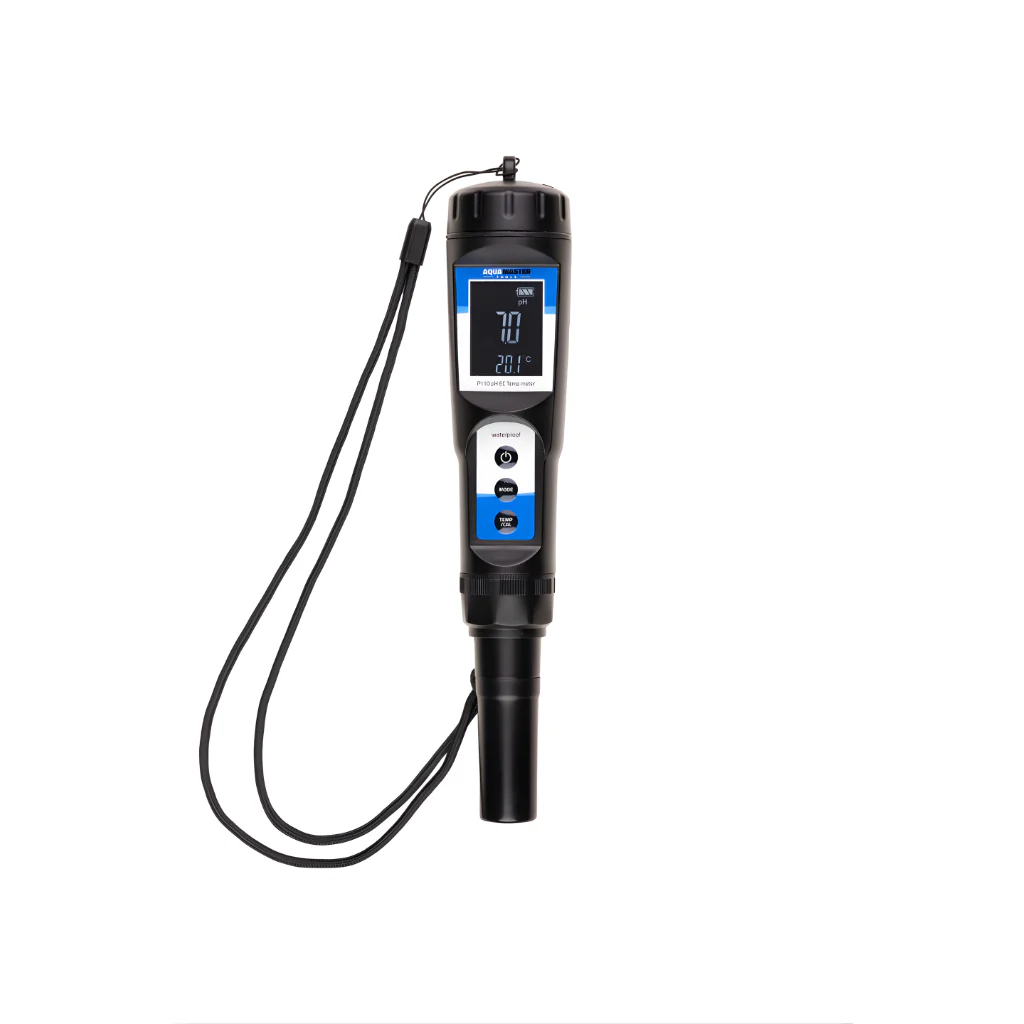
The E300 Pro is the ideal meter to measure the EC and temperature of coco coir, soil and other moist, soft substrates and liquids. The E300 Pro features a modern and robust housing, with easy to operate buttons. It also includes an EC electrode of unprecedented quality. The meter is delivered fully calibrated and includes batteries.
How does the meter work?
- Connect the PIN connector of the electrode to the EC meter.
- Rinse the electrode with running water and dry it using clean kitchen paper.
- Press the on/off button to turn on the meter.
- Place the electrode in the (soft) substrate (make sure the substrate is well wet/damp, otherwise the meter will not work properly) or liquid to be measured.
- Wait for the value to stabilise. The measurement is now complete.
- Press the HOLD button to save the measurement. Do not forget to press the HOLD button again when the meter is used once more.
- Rinse the electrode with clean water after use, so that no residue is left on the electrode.
- Press the on/off button to turn off the meter.
$53.61
Original: $153.17
-65%AquaMaster Substrate EC and Temperature E300 Pro—
$153.17
$53.61


Description
The E300 Pro is the ideal meter to measure the EC and temperature of coco coir, soil and other moist, soft substrates and liquids. The E300 Pro features a modern and robust housing, with easy to operate buttons. It also includes an EC electrode of unprecedented quality. The meter is delivered fully calibrated and includes batteries.
How does the meter work?
- Connect the PIN connector of the electrode to the EC meter.
- Rinse the electrode with running water and dry it using clean kitchen paper.
- Press the on/off button to turn on the meter.
- Place the electrode in the (soft) substrate (make sure the substrate is well wet/damp, otherwise the meter will not work properly) or liquid to be measured.
- Wait for the value to stabilise. The measurement is now complete.
- Press the HOLD button to save the measurement. Do not forget to press the HOLD button again when the meter is used once more.
- Rinse the electrode with clean water after use, so that no residue is left on the electrode.
- Press the on/off button to turn off the meter.